
One workspace for the Zero-Waiver Coverage Loop
EDA Studio keeps the project, tool sessions, run records and replay steps together while each specialist engine performs its own checks.
One project, one recorded session
The walkthrough opens a WIOWIZ reference SoC, runs simulation, opens waveform debug and coverage, checks power intent, and shows the saved run history. The reference SoC is not a customer design.
WIOWIZ EDA Studio 0.8.124 on the Full Verification Reference SoC.
Six tools, six clear jobs
Studio does not merge the engines into one generic result. It opens the right product with the same project inputs and keeps the returned status with that run.
FSimX
Runs RTL, testbenches and firmware, then keeps logs and wave files.
Wave
Opens signals, source, protocol activity and the failing time point.
Asesha
Names open coverage points and keeps the grade held while work remains.
Truti
Checks clock and reset crossings and reports the path and rule involved.
Hetu
Runs proof, reachability and counterexample work on selected obligations.
Vajra-LP
Checks UPF structure, domains, crossings and power-state rules.
The loop inside Studio
From run to debug to closure
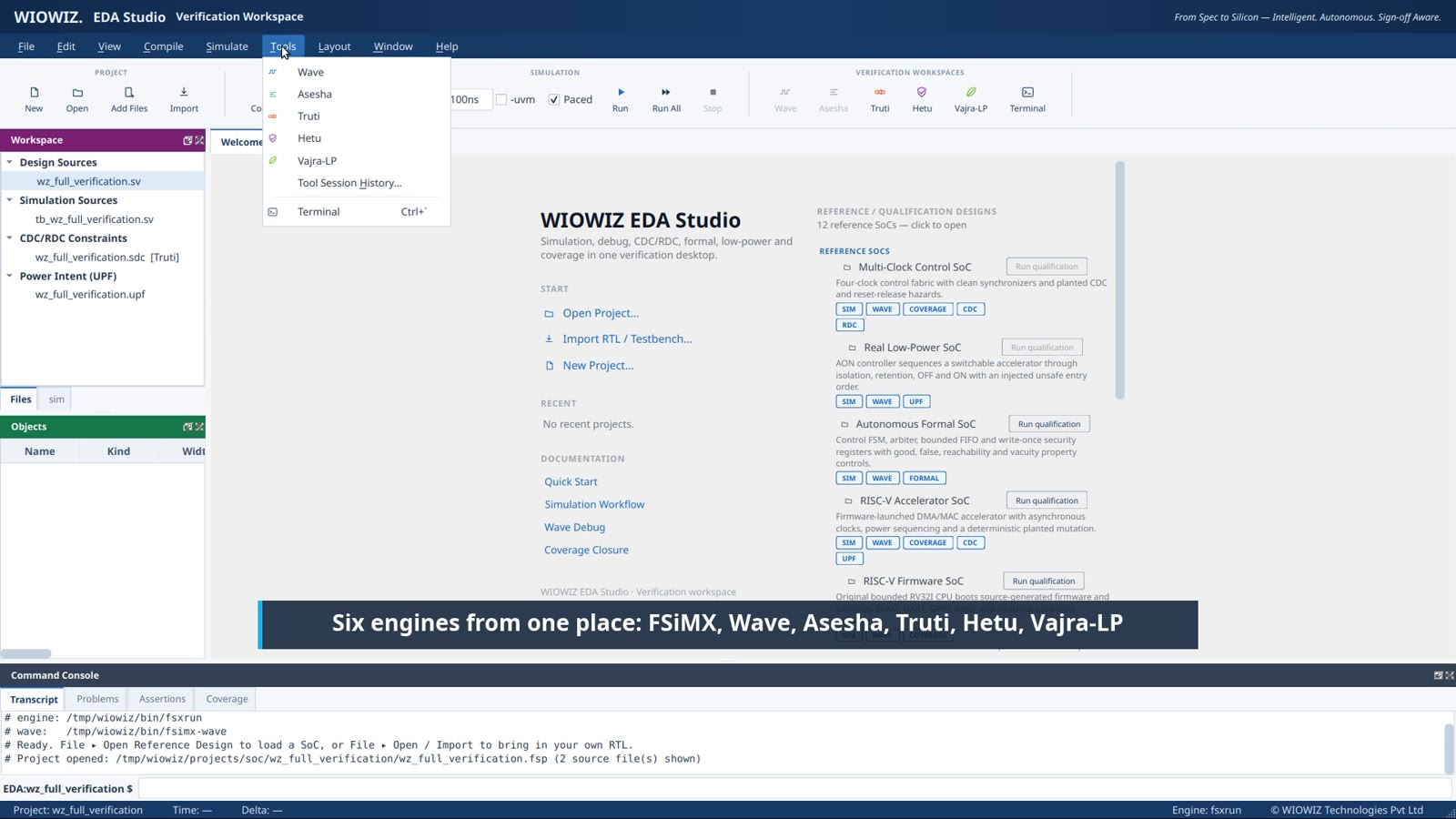
FSimX run summary, project tree and terminal output in one workspace.
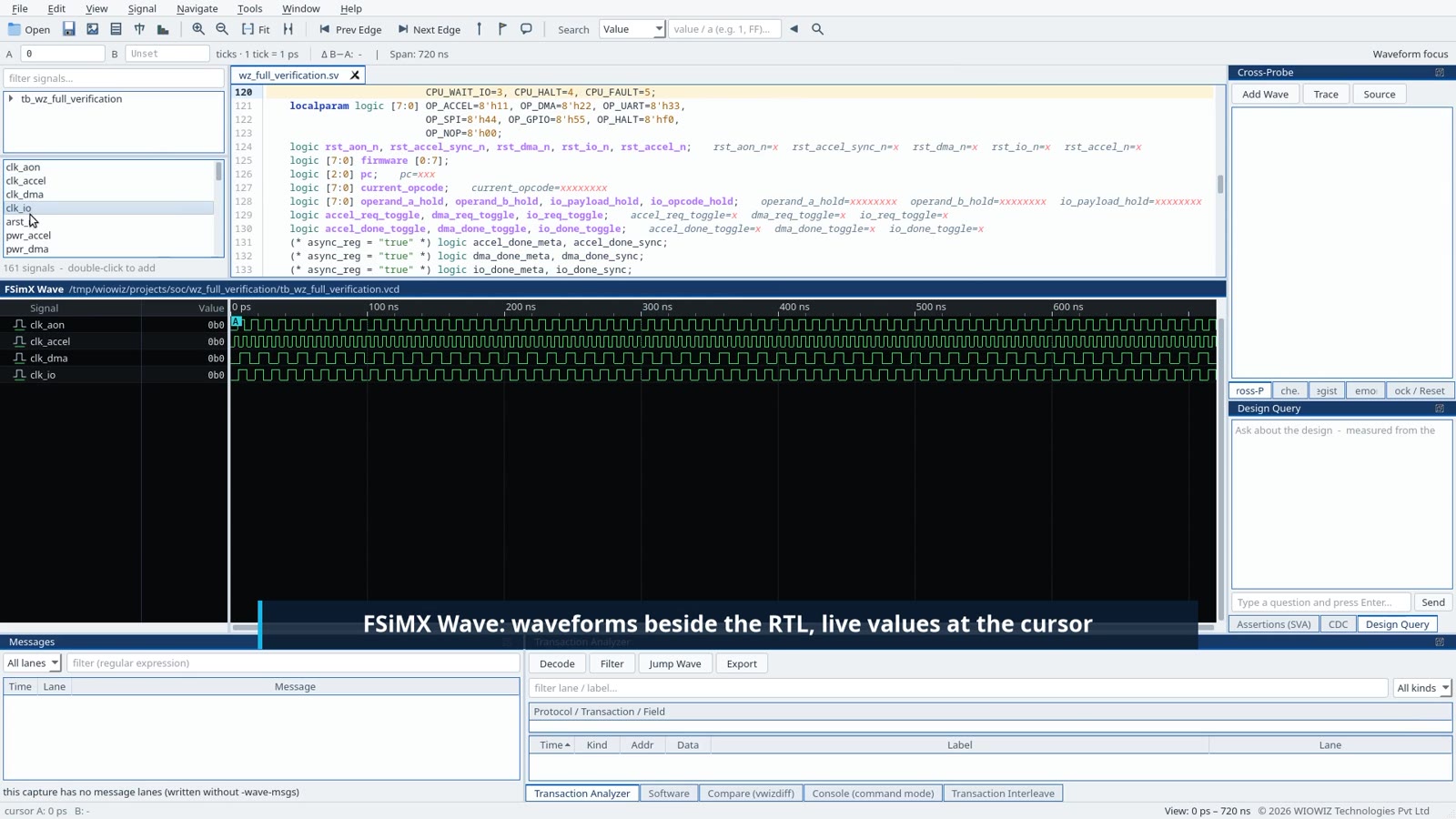
Wave opens the recorded signals beside the RTL source.
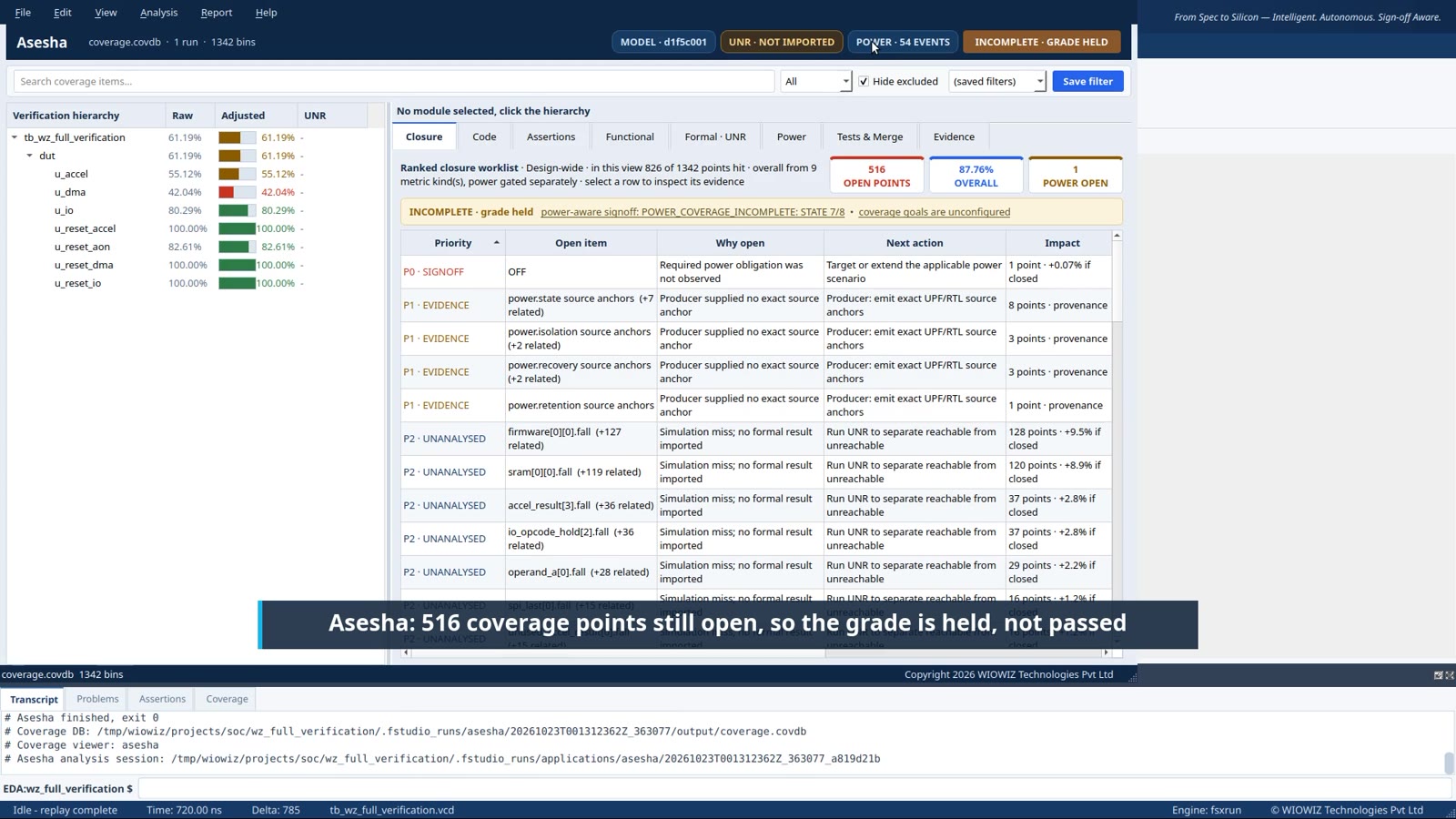
Asesha lists the open coverage points and keeps the grade held.
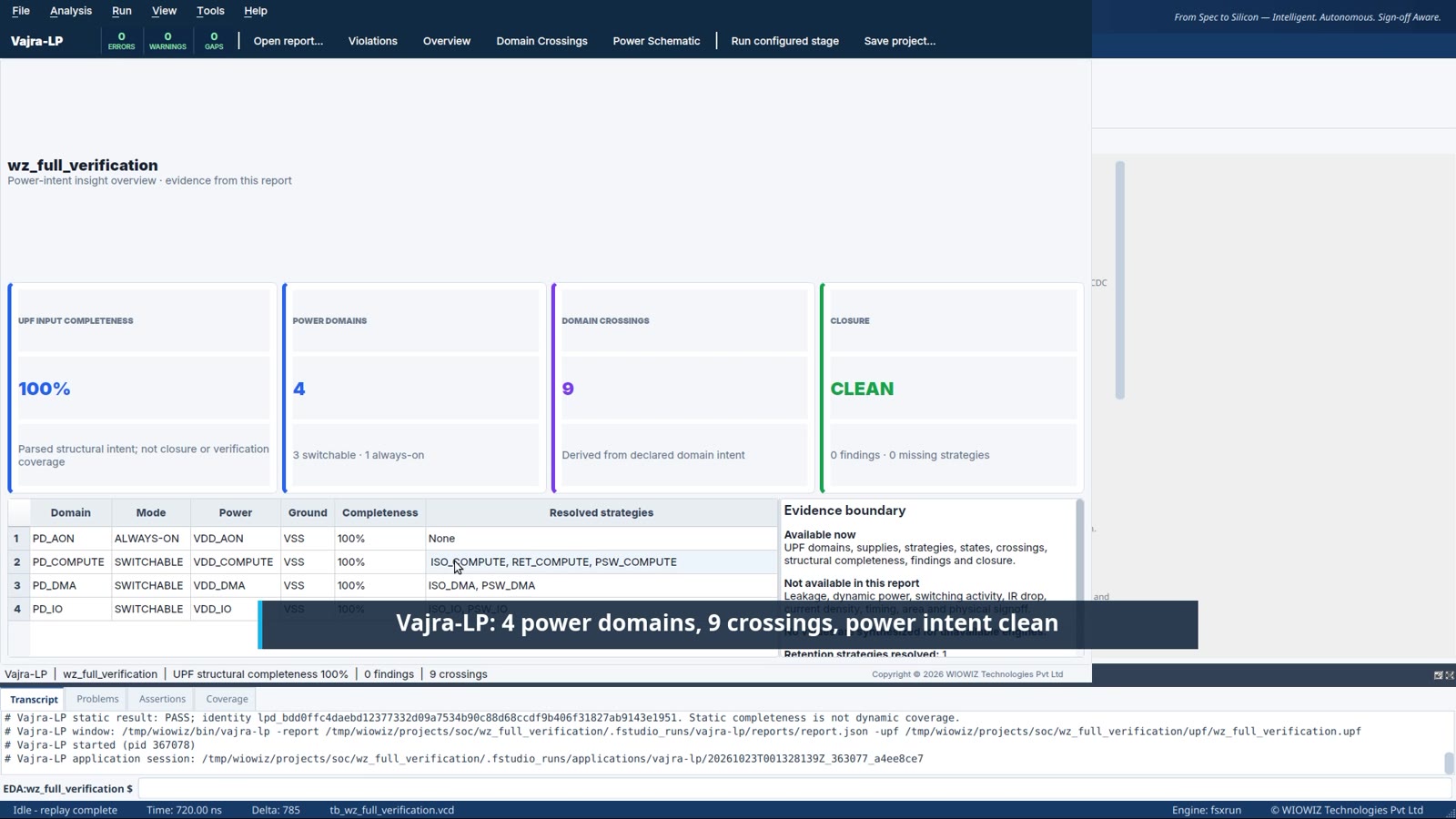
Vajra-LP reports the power domains, crossings and current status.
What stays with each run
Project inputs
Design files, configuration, constraints and power intent.
Exact command
The invoked program, arguments and working directory.
Tool identity
The product name, version and executable used for the run.
Run output
Logs, summaries, wave files and reports returned by the tool.
Current status
Passed, failed, incomplete, blocked or waiting for review.
Replay path
The project and command needed to run the same check again.
Review EDA Studio on a reference SoC
Request a technical walkthrough of the project flow, the six tool sessions, the run history and the Zero-Waiver Coverage Loop.